All servicesBuild · Business automation, Sydney
Business automation that gets operations out of inboxes and spreadsheets
When bookings, jobs and follow-ups live in inboxes and spreadsheets, things slip and nobody has the full picture. We build the systems that hold the work together: action queues, day boards, booking engines and job feeds your team actually uses, connected to the software you already run, with agents doing the admin and your team approving what matters.
- 0.1% → 1% conversion rate
- for Imaging Specialists after the booking and enquiry forms were rebuilt on top of online booking connected to the clinical system (measured over 8 weeks against the previous 8)
- Read the Imaging Specialists case study
- 69 exams bookable online
- , each checked against the practice’s live catalogue, and a patient can book in about a minute
- 18 scenarios
- tested for an AI admin assistant that quotes, invoices and books jobs for trade businesses by text message
- Read the admin assistant case study
What business automation should fix
Business automation gets sold as software: buy the platform, connect the apps, done. Most owners we talk to already have the software (a practice system, a job management app, an accounting package, a CRM), and the problem lives in the gaps between them, where manual processes and repetitive tasks fill the day.
Reception copies a referral from an email into the clinical system. A tradie writes a quote on the kitchen table at 9 pm, then types the same job into the job app the next morning. Follow-up calls depend on someone remembering a sticky note. Nobody can see today's work without asking three people.
We fix those gaps so data entry happens once, the day's follow-ups are generated automatically from what's already in your existing systems, and the owner can see what's happening on one screen. Where an AI agent can do the admin it does, and a person approves anything that matters.
Business process automation vs workflow automation
The terms get used loosely, so here's how we use them. Workflow automation is a single chain of steps: a form is submitted, a contact is created in the CRM, a call-back task is set. Business process automation (BPA) looks at the whole process, from the first enquiry to the paid invoice, and asks which steps should be automated, which should be removed, and which need a person. Most of our work starts as the first and grows into the second once the team trusts it.
Business automation examples from our work
- Bookings. Online booking that checks real availability in the practice system, so reception stops re-typing referrals and patients stop waiting on hold.
- Follow-ups. An action queue that builds the day's confirm calls, referral chases and no-show rebooks automatically.
- Quotes and invoices. An agent that drafts the quote from a text message and raises the invoice with a pay link when the job is done.
- Lead capture. A website form that creates the CRM contact, adds a note and sets a call-back task inside business hours.
These are the routine tasks that eat hours every week, and they're the easiest place to automate business processes without changing how the team works.
Who it's for
- Front desks juggling bookings, referrals and follow-up calls. Clinics, imaging practices, allied health.
- Trade businesses with no office staff, where the owner does quotes, invoices and chasing after hours.
- Businesses running daily operations from spreadsheets and email, with the same data typed in two or three places.
- Owners who can't see what's happening without asking someone.
It's a poor fit if the process itself isn't settled yet. Automating a workflow that changes every week just makes the mess faster, so we'd start by mapping it with the people who do it.
What's included
Action queues
The day's follow-ups generated automatically from the data you already have, so nothing depends on memory. At Imaging Specialists the reception desk works from one queue: confirm calls, referral chases, prep calls, no-show rebooks and freed-slot alerts.
Boards and dashboards
A live view of jobs, rooms, pipeline or capacity, built around how your team works. Imaging Specialists has a day board for every room. A trade business might want today's jobs, quotes waiting on a reply and invoices overdue.
Booking engines
Online and phone booking connected to your scheduling or practice system, with protections against double bookings and wrong-timezone appointments. Anything unusual is routed to a person rather than guessed.
CRM implementation and clean-up
We set up the CRM you have, or clean up the one nobody trusts, and connect it to your website, bookings and jobs. For Static Computers, a short call-back form creates the contact in their CRM with a note and a call-back task inside business hours, tested end to end. See the Static Computers case study.
Agents for the admin
AI agents that draft quotes, raise invoices, update job records and send reminders, each with a setting for what it may do alone and what it must ask about first. See custom AI builds for the agents we've built.
Access and audit
Staff sign-in, roles and a record of who changed what. When something goes wrong, you can see exactly when and why.
A worked example: the reception desk
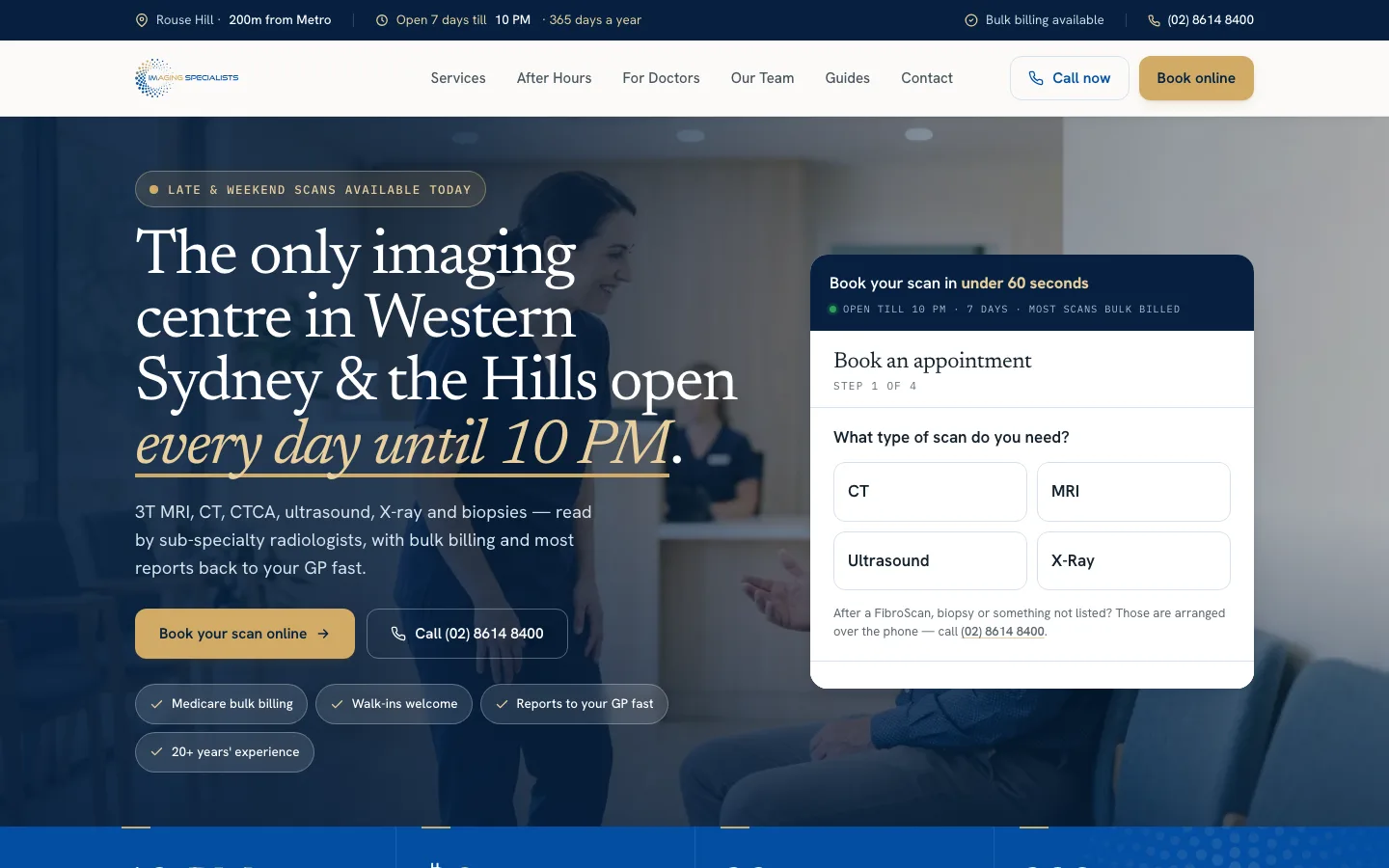
Imaging Specialists, a diagnostic imaging practice in Western Sydney and the Hills, runs MRI, CT, ultrasound, X-ray and more, every day until 10 PM. Bookings, confirmations, referral chasing and prep calls all ran through reception, and a third-party booking tool sat between patients and the clinical system.
The clinical system holds live patient records with no test copy. So the first step was on-site discovery: watching how the system really behaves, then designing every booking path around it.
What we built:
- Online booking. Patients choose their scan, see real available times and book in about a minute. 69 exams are bookable online; anything else goes to a phone call.
- A phone booking agent for the calls reception misses, booking through the same engine. It never gives clinical advice and hands urgent or distressed callers to a person.
- The reception desk. An action queue, a day board for every room, and staff sign-in with an audit trail on every change.
- Rebuilt forms. Conversion rate rose from 0.1% to 1%, measured over 8 weeks against the previous 8.
Status, as of October 2026: the booking engine and reception desk are in production, and the new site is launching.
A worked example: an office manager by text
Most small trade businesses have no office staff. We built an AI admin assistant that tradies run by text message. The owner texts it in plain words, photos, voice notes or PDFs. It quotes from the price given or from site-visit notes in the job system, raises invoices with a pay link, books jobs and keeps the job system up to date.
It checks in at morning, midday and end of day at the business's local time: today's jobs, quotes waiting on a reply, invoices overdue. Every action has a setting (never, draft only, ask first or just do it), sensitive actions need a four-digit code, and one text switches everything off. It has been built and tested against 18 scenarios, and live connections are being tested now.
How it runs
- 30-minute diagnostic call. Where the work gets stuck and which systems you run.
- Written proposal. What we'll build, the result we expect, how it will be measured and the cost.
- Shadow the work. We watch how a real day runs and where it breaks, on site where that helps.
- Baseline. Follow-ups missed, time spent re-keying, bookings lost, before anything changes.
- Design with the team, then build and connect. Screens built with the people who'll use them, tested on real days.
- Roll out and measure. Training and refinements in the first weeks, then a readout against the baseline.
How we measure it
Operational systems are judged on the work they move: follow-ups completed on time, missed bookings recovered, hours of admin removed, enquiries converted. We record the baseline before launch and read the same measures after, so "it feels better" is replaced by a number.
What it costs
- Booking or CRM integrationfrom $10,000 + GST
- Booking and enquiry forms rebuiltfrom $2,500 + GST
- A larger system (queues, boards, agents)Quoted in the written proposal, because scope depends on your systems
- Ongoing support and improvementfrom $300 + GST a month, or as part of a from $5,000 + GST a month when agents run the work
Client work
Imaging Specialists
Conversion rate up 10×, from 0.1% to 1%. After we restructured and redesigned the booking and enquiry forms, ten times as many visitors to Imaging Specialists turned into bookings and enquiries, measured over 8 weeks against the previous 8. Over the same period, non-branded search clicks grew from zero to seven a day, so patients now find the practice without already knowing its name. Patients can book 69 exams online, straight into the practice's clinical system.View case study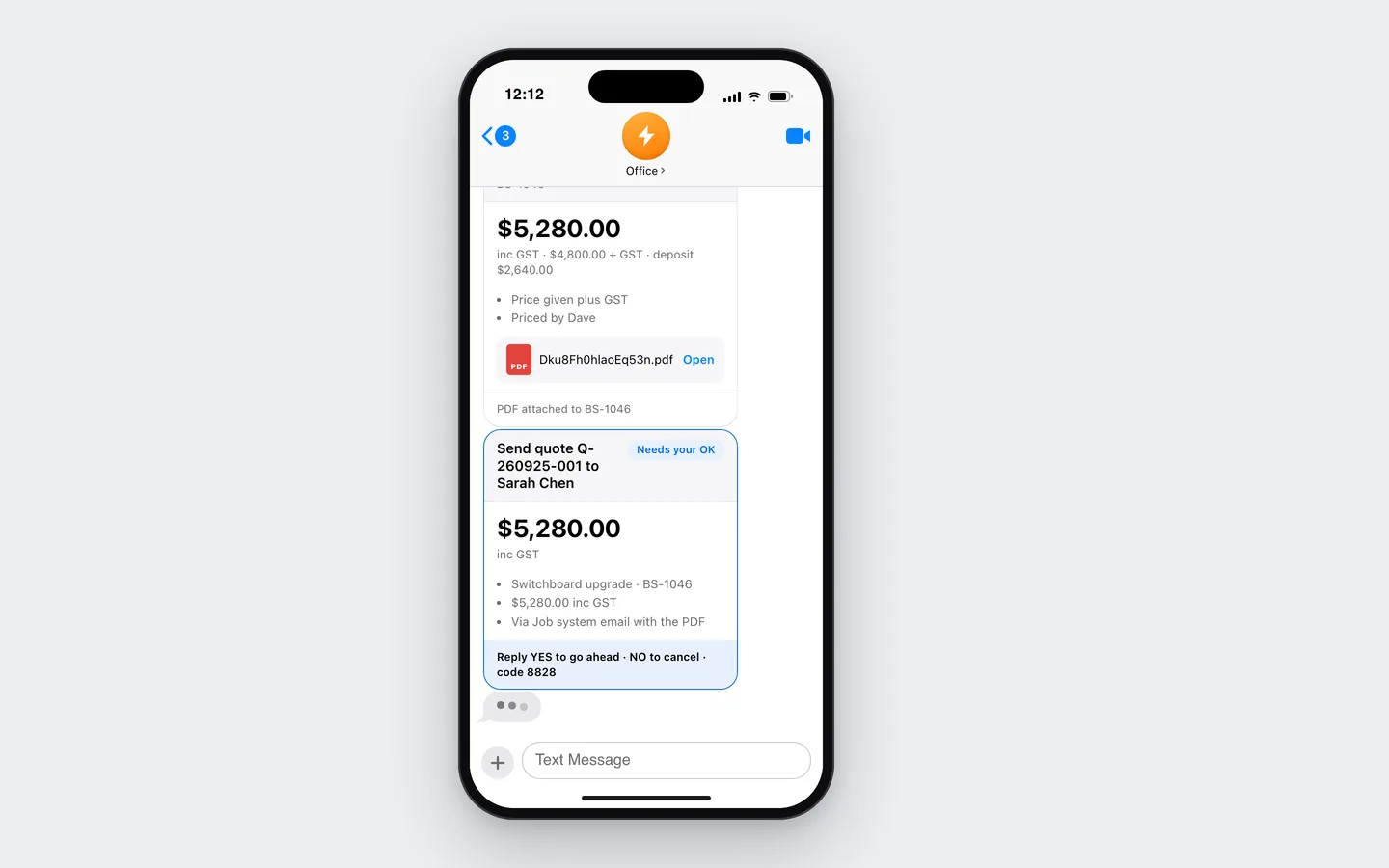
AI admin assistant for trade businesses
We built an AI office manager for Australian trade businesses that the owner runs by text. It writes and sends quotes, raises invoices, books jobs and keeps the job system up to date, and it asks before anything goes out. It has been built and tested against 18 scenarios, and its live connections to job and accounting systems are being tested now. There is no measured result yet.View case study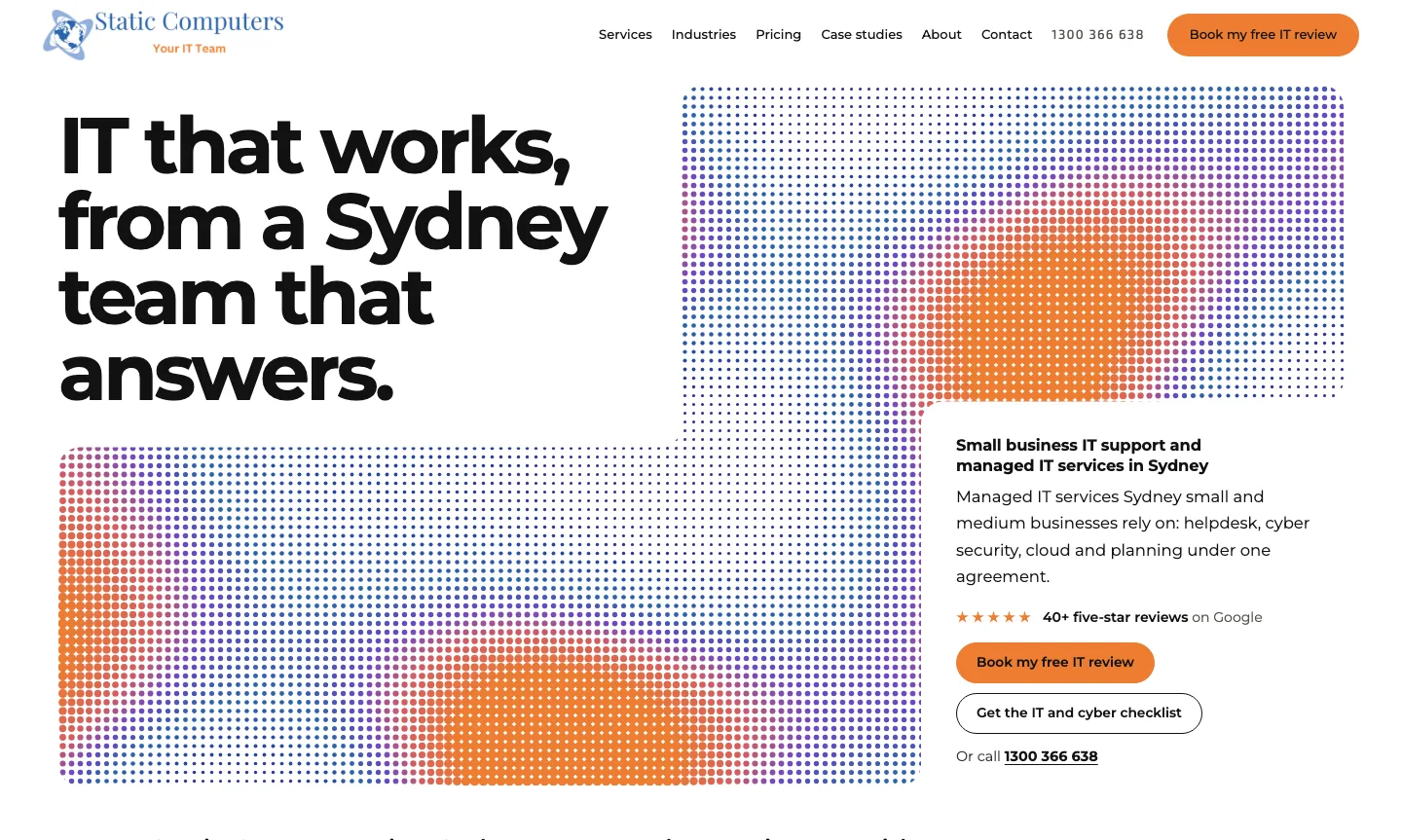
Static Computers
A new position, a search-ready site and enquiries that land in the CRM. Static Computers has run IT for Sydney businesses since 2006. We repositioned it around one promise, "IT that works, from a Sydney team that answers.", regrouped its services into four buckets, and rebuilt the site with service, industry and location pages, every old address redirected, and a call-back form that creates the contact and a task in its CRM. The site is delivered and launching on the client's domain. There are no measured results yet; we'll publish them once the site has been live long enough to read.View case study
Questions
How much does business automation cost?
A single booking or CRM integration starts at $10,000 + GST. Larger systems with queues, dashboards and agents are a fixed price in the written proposal, set after we've seen how your day runs. Ongoing support starts at $300 + GST a month.
Do we have to replace our current software?
Usually not. We build around the systems you rely on and fill the gaps between them. Imaging Specialists kept its clinical system; we built around it.
Do you do CRM implementation?
Yes. We set up or clean up the CRM you have, connect it to bookings, jobs and your website, and automate the follow-ups your team does by hand.
Is it safe to connect to our live systems?
We design for that from day one. At Imaging Specialists there was no test copy of the clinical system, so every booking path was built with protections against double bookings, and we connect read-only wherever writing isn't needed.
Who looks after it once it's built?
We can support it as part of Run, or hand it to your team with documentation. You own what we build.
How long does a build take?
It depends on the systems involved. A single integration is quicker than a reception desk with queues, boards and a phone agent. The timeline is set in the written proposal.
Which business automation tools do you use?
We use whatever your existing systems connect to best: the automation built into your CRM or practice system, a workflow automation platform where that's enough, and custom code and AI agents where the off-the-shelf automation tools can't do the job. We'd rather extend the business automation software you already pay for than sell you another subscription.
Is robotic process automation (RPA) the same thing?
Not quite. RPA software copies clicks a person makes on screen, which is useful when an old system has no other way in, but it breaks when the screen changes. We connect systems directly wherever we can and only fall back to screen automation when there's no alternative.